
You plug in your phone expecting that little charging icon… and nothing happens. No vibration, no battery increase, just frustration.
This is one of the most common issues we see, and the good news is there’s usually a clear reason behind it. In many cases, it’s something simple. In others, it may need a professional repair. Let’s walk through the most common causes so you know exactly what’s going on.
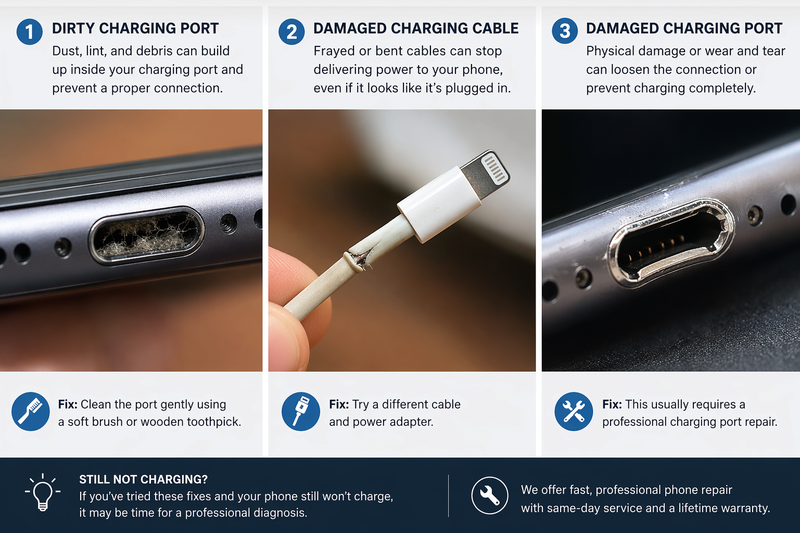
Dirty Charging Port
This is by far the most common reason your phone won’t charge.
Over time, dust, lint, and debris build up inside your charging port. If you keep your phone in your pocket, it’s basically a lint collector. That buildup can block the connection between your charger and your phone.
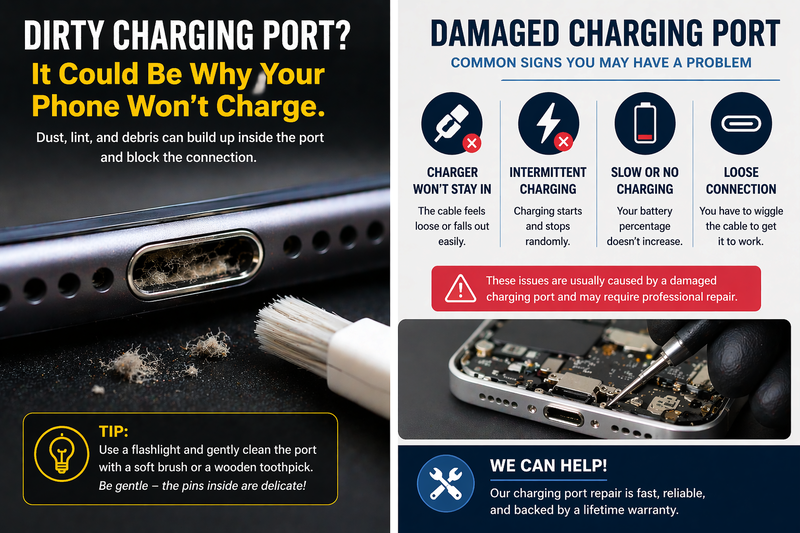
Signs this is the issue:
- Charger feels loose
- You have to wiggle the cable
- Charging cuts in and out
What you can do:
- Use a flashlight to look inside the port
- Gently clean it using a wooden toothpick or soft brush
⚠️ Be careful not to damage the pins inside. If you’re unsure, it’s best to have it cleaned professionally.
Bad Cable or Charger
Sometimes the issue isn’t your phone at all.
Charging cables wear out over time, especially if they’re bent, twisted, or low quality. Power adapters can also fail.
Quick test:
- Try a different cable
- Try a different wall adapter
- Plug into a different outlet
If your phone starts charging, you’ve found the problem.
Battery Issues
Batteries don’t last forever. After a couple of years, they can lose their ability to hold and accept a charge.
Signs of a bad battery:
- Phone dies quickly
- Battery percentage jumps around
- Phone won’t charge past a certain point
In this case, a battery replacement is usually the fix.
Charging Port Damage
If cleaning doesn’t help and different chargers don’t work, the charging port itself may be damaged.
This can happen from:
- Repeated plugging and unplugging
- Using the phone while charging
- Drops or impact
- Water exposure
Common symptoms:
- No connection at all
- Charger won’t stay in
- Visible damage inside the port
This type of issue typically requires a repair or replacement of the charging port.
Software Glitches
It’s not as common, but software can sometimes interfere with charging.
Try this:
- Restart your phone
- Check for software updates
- Perform a hard reset (if needed)
If the issue started after an update, software could be the cause.
What NOT to Do
Trying to force a fix can make things worse.
Avoid:
- Shoving metal objects into the port
- Forcing the charger in
- Using damaged cables
- Ignoring overheating while charging
These can turn a simple fix into a more expensive repair.
When to Get It Checked
If you’ve tried everything above and your phone still won’t charge, it’s time to have it looked at.
In many cases, the issue comes down to a worn charging port or failing battery — both of which can be fixed quickly.
If you’re dealing with this problem, we offer fast, professional phone repair in Longview TX at Gadget Medic Express. Most charging issues can be diagnosed and repaired the same day, and all of our repairs come with a lifetime warranty.
Recent Comments